[New Feature] "Staff Snaps" Now Available — Post photos and video reviews from store staff on your e-commerce site. Key Features and 6 Ideas for Using It
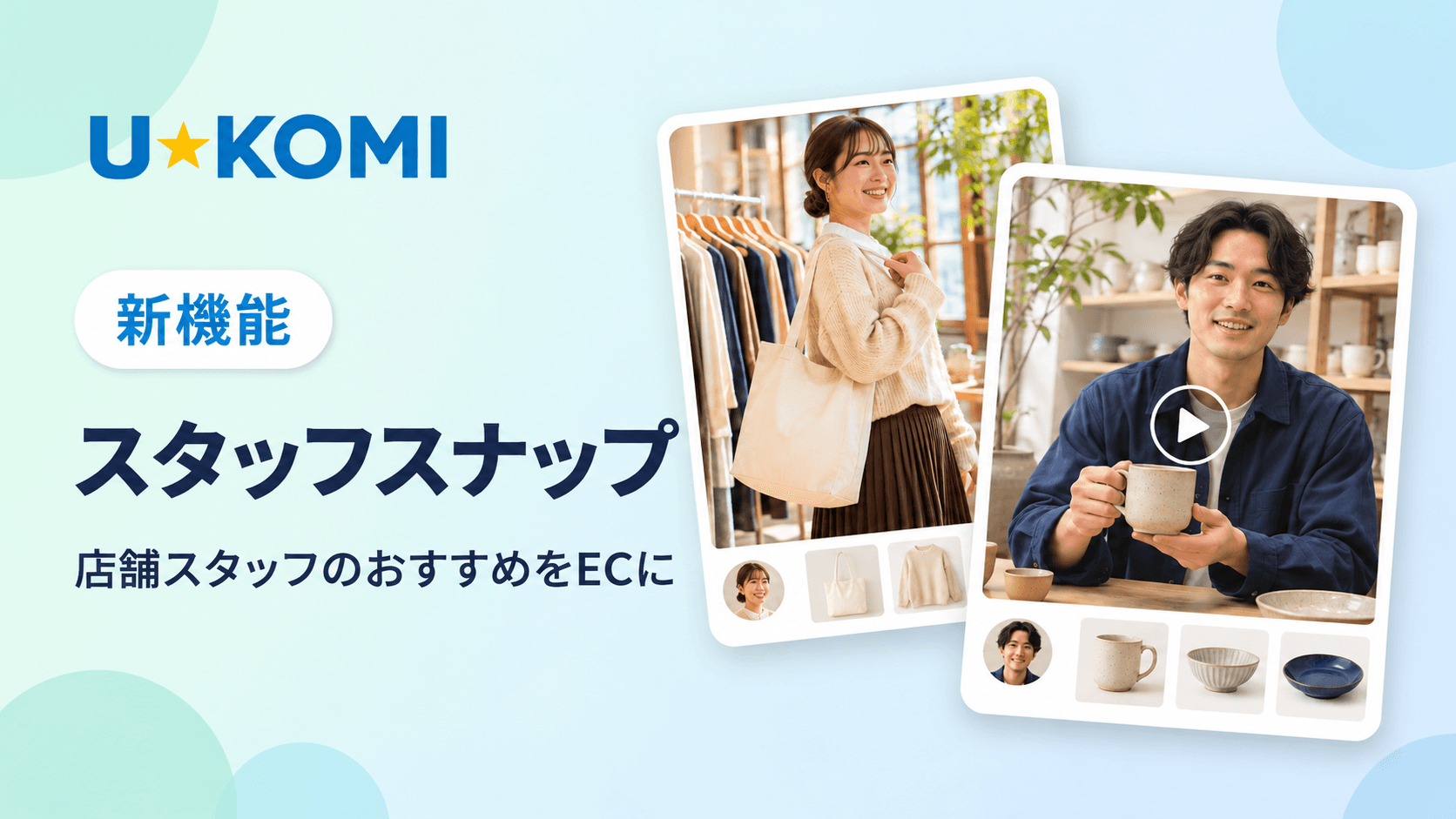
[New Feature] U-KOMI has launched a new feature called “Staff Snaps.” This feature allows staff reviews—posts created by store staff that include photos and videos—to be published on the e-commerce site alongside the staff member’s profile and the products they’ve featured.
“Here’s how I wear this item,” or “It’s really handy when used this way.” The tips on product selection and usage that staff share daily in-store can now be conveyed through your e-commerce site as well. Posted content can also be shown directly to customers during in-store interactions. In this article, we’ll introduce the main features and six practical ideas you can try both online and in-store.
1. What Is Staff Snap?
Staff Snaps is a feature that displays staff reviews—specifically those accompanied by photos and videos—on list pages, detail pages, and widgets. Each post displays the following three elements together:
- Photos and videos: Convey a sense of scale and how the product is used
- Staff Profile: You can see at a glance who made the recommendation, based on details like height and store assignment
- Featured Product: Customers can navigate directly to the page of any product that catches their interest
Information that’s hard to convey through product descriptions alone—such as size, styling ideas, and how a product feels to use—can be supplemented with visuals and the staff member’s own words, as they know the products well. This allows customers to choose products while referring to staff recommendations.
2. Main Features of Staff Snaps
—Staff Snaps List Page
This page displays a list of staff posts. Customers can filter posts by tags or height, making it easier to find outfits and usage tips from staff members similar to themselves. Posts that include videos display a video icon in the list.
—Product Detail Widget
When the Product Details Widget is added to a product page, posts by staff members who featured that product will appear on the page. Customers can also click “See More” to navigate to the Staff Snaps List Page.
―Staff List, Rankings, and Staff Profile Pages
You can set up a list and ranking that showcase staff members based on the number of posts or “likes.” Customers can find staff members whose style matches their preferences and view all of that person’s posts in one place. Ranking badges are displayed in the rankings, and staff detail pages can include links to their Instagram, X, LINE, Facebook, TikTok, YouTube, and Threads accounts.
―Post and Publication Management
- Create a dedicated account for each staff member, and they can log in to post content themselves. They can also register their own profiles.
- Up to 10 photos and videos combined can be posted per post.
- You can toggle the visibility of each post between public and private. Private posts will not appear on the site.
- You can set featured products and tags, and customize the design using custom CSS.
3. Difference from Staff Reviews
U-KOMI has long featured a “Staff Reviews” function. “Staff Snaps” is a feature designed to display those staff reviews—specifically the posts that include photos and videos—alongside the staff member’s profile and the products they’ve featured.
Features | Subscription Plans |
Staff Reviews | Starting with the Starter Plan |
Staff Snaps | Standard Plan and Above |
The basics of staff reviews and how to differentiate their use from customer reviews are explained in detail in “How to Improve Your E-Commerce Site’s CVR with U-KOMI ‘Staff Reviews.’”
4. 6 Ideas for Using Staff Snaps
―① Show how the item fits and looks on staff members of different heights
In the apparel industry, “How will this look on me?” is a major concern before making a purchase. If multiple staff members of different heights post photos wearing the same item, customers can filter by height to see how the item looks on a staff member similar to themselves. Brief comments from staff members—such as the length or hem position—also serve as helpful decision-making factors.
―② Add “Staff Style Examples” to Product Pages
By installing a product details widget, you can instantly show customers viewing a product page the post from the staff member who featured that item. This allows you to convey how the product is actually used, in addition to the product photos and description.
―③ Create seasonal and thematic categories using tags
You can freely add tags to posts. By defining tags tailored to seasons, common concerns, or usage scenarios—such as “#SpringOutfits,” “#Short-StaturedOutfits,” or “#Gifts”—customers can search for posts by theme. We also recommend increasing the number of posts to coincide with new product launches or seasonal changes.
―④ Share “How-to” and “Selection Tips” Even for Non-Apparel Products
Staff snapshots can also be used for home goods, cosmetics, food, sake, wine, and more. For example, staff at a liquor store can explain the flavors of sake and how to enjoy it chilled or warmed, while a sommelier can introduce wines that pair well with specific dishes and explain why.For cosmetics, you can use photos or short videos to explain skincare routines and the appropriate amount to use; for home goods, you can show how dishes look when served in specific tableware.
For online-only stores without physical locations, buyers or e-commerce managers can explain why they selected certain products and share insights on how to use them based on their own hands-on experience.
―⑤ Search for products based on posts by staff members with similar tastes
For example, customers who prefer simple outfits can browse a collection of posts from staff members with similar tastes to find a piece that’s easy to pair with their existing wardrobe. In addition to photos of the outfit, including the staff member’s own explanation of “why they chose this color or material” makes it easier for customers to compare it with their own preferences.
―⑥ Showing E-commerce Posts During In-Store Customer Service
In-store, staff can open the “Staff Snaps” feed on a tablet or similar device and assist customers by comparing the product in front of them with the photos. For example, they can show photos of the item in colors not currently in stock or suggest outfits that match the customer’s existing wardrobe. Even on days when specialized staff are unavailable, posts featuring explanations from staff at other stores can help explain product differences and the reasons behind recommendations.
To start, choose one frequently asked question from the store and post the answer along with a photo. You can begin by using the same post on both the product page and in-store.
5. Implementation in 3 Steps
- Register dedicated accounts and profiles: Create a dedicated account for each staff member and register their profile information, such as height and store assignment.
- Post photos and videos with featured products and tags: From their personal accounts, staff members select the products they want to feature and the relevant tags before posting
- Set up display tags and publish to the e-commerce site: Place the tags displayed in the “Staff Snaps Settings” section of the admin panel on list pages and product pages
Set up free pages for the Staff Snaps List, Staff List, and Detail Page, and place the tags on each.
6. Available Plans
Staff Snap is available with the Standard Plan or higher. The number of staff accounts you can create varies by plan.
Plan | Number of Staff Accounts |
Standard | Up to 10 |
Pro | Up to 50 |
Enterprise | Customizable upon request |
*Staff accounts are separate from team members. Please check the pricing plans for details.
Connecting E-commerce and In-Store Customer Service with Staff Snap
While customer reviews convey the “real-life experiences of buyers,” Staff Snaps convey “recommendations from people who know the products well.” When both are combined, customers can visualize the products more concretely and make informed choices.
Staff Snap brings the product knowledge and recommendations developed in-store to your e-commerce platform, while photos and videos posted online can also be utilized in-store. Please feel free to contact us for guidance on how to feature content on your site or to find a plan that fits your team size.
View a list of UGC case studies here:
https://u-komi.com/jirei資料のダウンロードはこちら: https://u-komi.com/document
Click here to contact U-KOMI: https://u-komi.com/contact/